
Details
Event Details
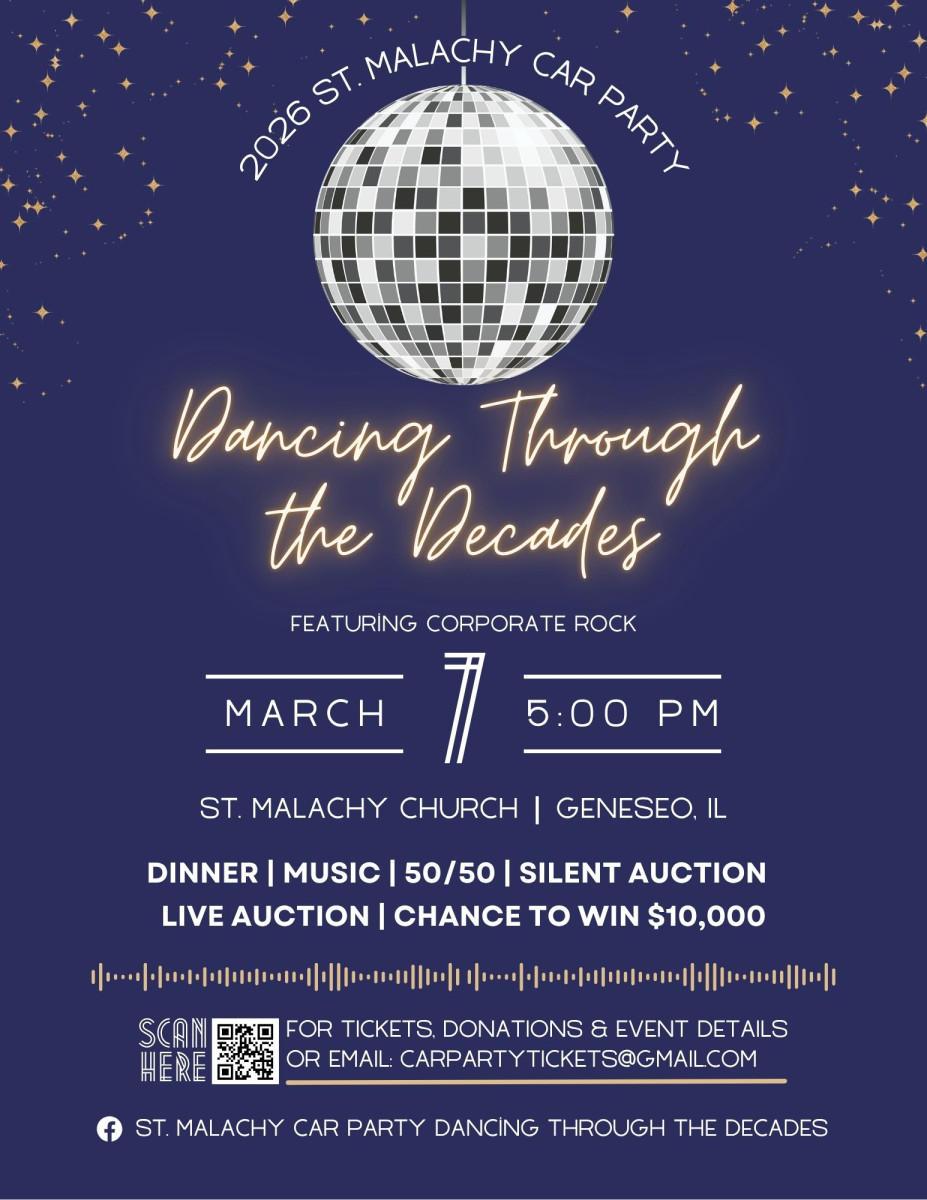
Join us on Saturday, March 7th for the 52nd Annual St. Malachy Car Party — a night of fun, nostalgia, and non-stop entertainment!
Come dressed in your favorite decade and hit the dance floor as Corporate Rock keeps the party going with classic hits from every era.
Enjoy a delicious catered dinner, exciting silent and live auctions, a 50/50 raffle, and your shot at winning $10,000!
It’s going to be a night to remember — so dust off your bell bottoms, tease that hair, or polish those platform shoes and let’s dance through the decades together to raise money for St. Malachy School!
About
About the Event
Car Party is the premier fundraising event of the year for the St. Malachy Parents Club. This beloved tradition not only raises vital funds for classroom materials, school enhancements, and educational programs, but also brings together our church community, school families, and local supporters for an evening of fellowship and fun.
Playground Improvements: Replace two pieces of outdoor playground equipment to enhance safety and play opportunities.
Lounge Refresh: Update the lounge by replacing carpet with durable commercial vinyl plank flooring for easier cleaning, and add seating that matches the existing table.
Lunchroom Upgrade: Repaint the walls in a neutral color, add a mural, and install sound-absorbing tiles to help reduce noise levels.
Classroom Support: Purchase a kidney-shaped table for 1st-grade reading groups.
Painting Projects: Complete smaller paint updates in select hallway areas and on classroom and lounge vents/registers.
The success of this annual fundraiser is a testament to the strength and generosity of our community. Thanks to the continued support of long-time attendees, donors, families, teachers, and staff, St. Malachy School continues to thrive as a vibrant and dedicated center for faith and learning.
History
History of Car Party
In 1974, a newly formed St. Malachy Parents Club held a fundraiser where 200 tickets were sold for $26 and the winner received a NEW CAR! Hence the iconic name "Car Party."
From the early days of the banquet room of The Deck (complete with new car sitting poolside) to Stoney Creek Inn, Car Party has become the signature fundraiser of the school. The event is now held in the St. Malachy Parish Hall in Geneseo, Illinois.
Now celebrating its 52nd year, the Car Party will once again offer 200 drawdown tickets, with the winner receiving a $10,000 cash prize. While car prices have certainly changed since 1974, the excitement and generosity surrounding the event remain stronger than ever. Guests also enjoy an evening of entertainment, including exciting live and silent auctions supported by contributions from across the community and beyond.
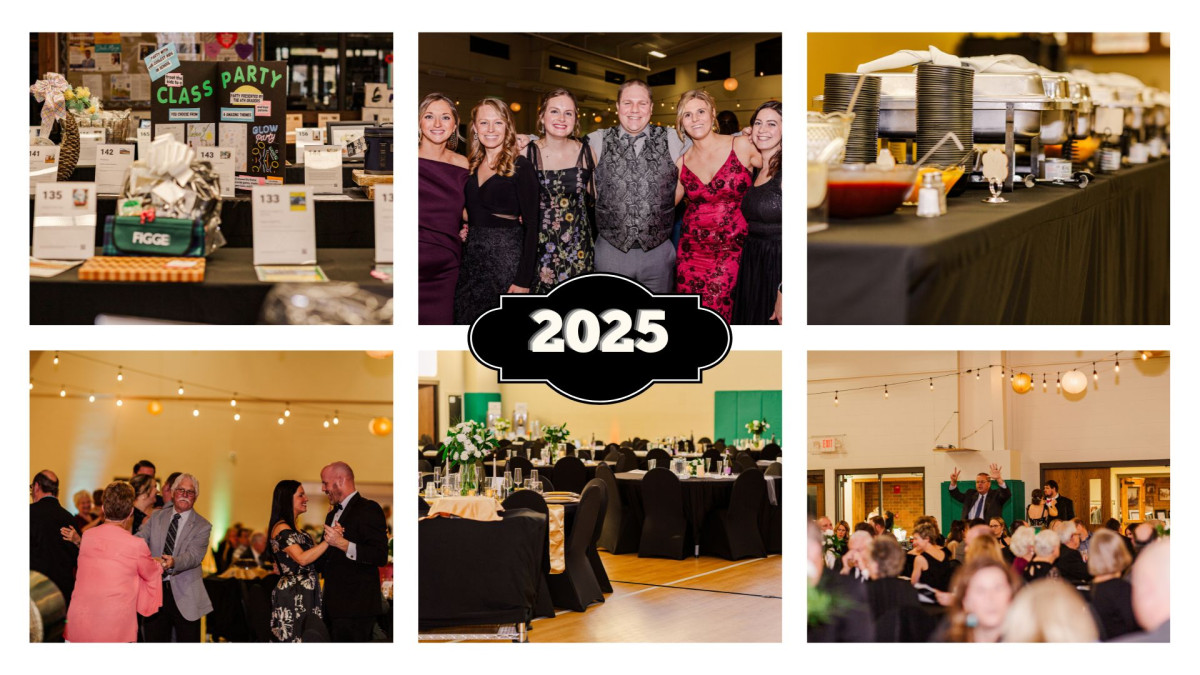
In 2025, Car Party raised over $100,000! These funds helped purchase new books and teacher desks, upgrade the teachers’ lounge, expand classroom budgets, and support attendance at the National Catholic Educational Association Convention.
How to Bid
How to Bid
- Go to your organization's landing page.
- Log in by entering your phone number or email address and tap GO.
- You will receive an email or text with a one-time Login Code
- Enter the code and click Next (code expires after 15 minutes)
- Confirm you are the name listed then click "Continue".
- Once completely logged in, you can search by item #, keyword, or by category.
- To place a bid tap on the blue "Bid/Info" button. There you can place a fast bid, bid, or set a max bid, and read details about items.
- Tap on MENU > MY ITEMS to view your activity throughout the event.
- Use the Blue Gear icon in the top left corner of the bidding site to update your information at any time.
Checkout From Your Phone
You can securely checkout from your phone with a credit card. Once you have a checkout available, a red "Pay!" button will appear at the top of your bidding screen. Tap on this button to proceed to checkout. If you have not already put a credit card on file, you will need to do so at this time in order to check out from your phone. *For one checkout, wait until all auction items (silent, live, appeal) have closed.
FAQ's
- How do I remove a bid? Right after you place a bid, you have the option to "undo" on the confirmation banner at the top of the screen. Once this banner goes away, you will need to see an event volunteer that is using the butler to remove it.
- I already selected "no" or replied "STOP" to the SMS text message alerts, not realizing that I wouldn't receive outbid notices. Can I fix it? Yes! Text "START" to 56651 to begin receiving these once again.
- How do I place a Max Bid? To place a "max bid", tap on Bid/Info > BID/SET MAX > select the amount you are willing to spend on the item > SET MAX. The system will bid up to that amount for you automatically. You will be notified via text message if you are outbid on this item.
- Did I win? Once the auction has closed, you can look under MENU/MY ITEMS to view everything that you have won/purchased.
- Note that we can not control carrier settings for receiving the code by text. If you continue to not get your code via text, try via email or check with your cell phone provider.
- Please check your spam for the login code email if you do not see it in your inbox.
Sponsors
Our Sponsors
We owe so much to our wonderful sponsors, whose generosity directly supports the students and programs at St. Malachy School. Because of their kindness, we’re able to provide enriching learning experiences, enhance our classrooms, and continue nurturing faith, knowledge, and community.